
Short version: you can produce a complete, voiced, storyboarded stick-figure cartoon without paying for Claude, without an API key, and without a credit card. The recipe is a free AI agent, a free reasoning model, and a free skill that contains the whole production process. This guide walks through the setup, the first episode, and the small checks that make the difference between a rough clip and a video people actually watch.
Resources from the original tutorial
- What If animation skill — free, MIT licensed, with the
/what-ifcommand - OpenCode — free, open-source agent
- GLM-5.3-Flash Free — free model in OpenCode, no account or key
- Remotion — renders code into video
- ElevenLabs — voice and sound, 10,000 free credits/month
- Node.js · Python · FFmpeg — the free runtime
- Tool Reel System — free skills for editing reels
- Watch the original tutorial on YouTube
Why this works now
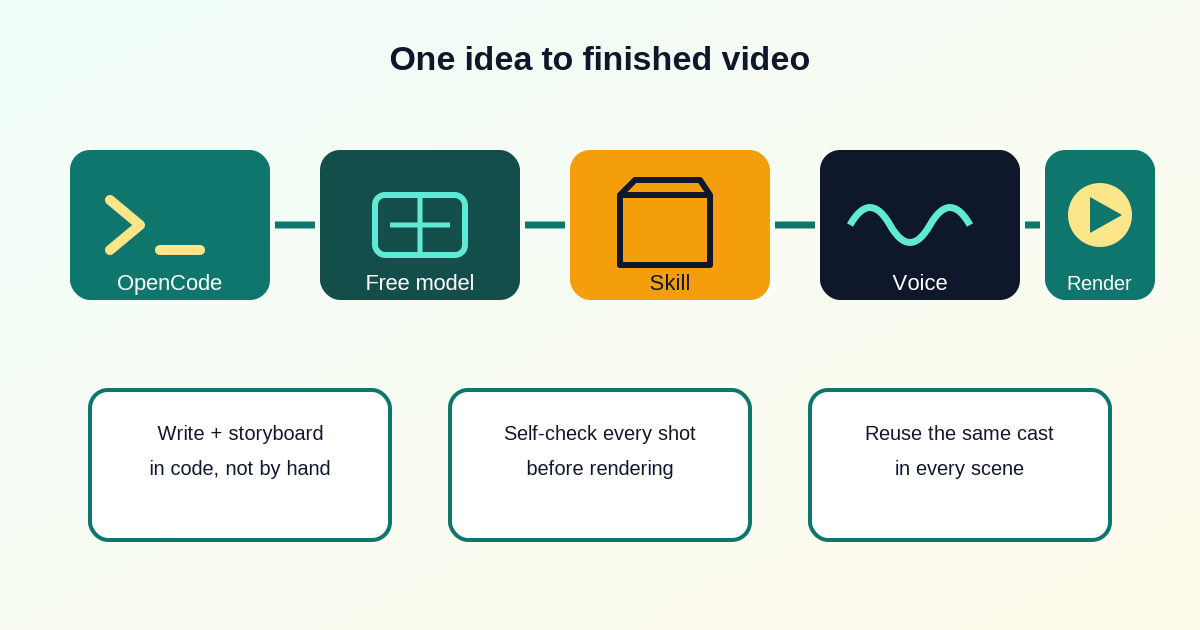
For a long time, generating video meant either expensive subscriptions or hours of manual animation. The shift is that an AI agent can now follow a written recipe — a skill — rather than improvise every scene. The model does not need to be a genius; it needs to read the instructions, write code, render frames, look at its own output and correct what does not read well. Remotion turns that code into video, ElevenLabs supplies the voice, and FFmpeg makes the final file loud enough to publish.
The result is a pipeline where the expensive part — taste and QA — is encoded once in the skill, and every episode after that is nearly free.
The three pieces you actually need
| Piece | What it does | Cost |
|---|---|---|
| OpenCode | Open-source agent that reads files, runs commands and writes the animation code | Free |
| GLM-5.3-Flash Free | The reasoning model, available inside OpenCode without an account or key | Free for a limited time |
| What If skill | The story formula, pacing, lighting rules and self-check routine | Free, MIT licensed |
| Remotion + ElevenLabs | Render the video, generate voice and effects | Free tiers |
ElevenLabs' personal plan includes 10,000 credits a month. A single episode uses roughly 180–250 credits, so that is around 40–50 videos before you hit the limit.
The ElevenLabs free tier is for personal use and asks for attribution; Remotion needs a company licence above three employees. Read both terms if the channel will earn money.
Set up the machine in five minutes
Windows — open PowerShell and run one command per line:
winget install OpenJS.NodeJS.LTS
winget install Python.Python.3.12
winget install Gyan.FFmpeg
pip install numpy pillow
npm install -g opencode-ai
macOS / Linux — Homebrew does the same job:
brew install node python ffmpeg
pip install numpy pillow
npm install -g opencode-ai
Node runs Remotion, Python runs the helper scripts, FFmpeg handles audio and final loudness. All three are free and cross-platform.
Always launch OpenCode from inside your cartoon folder. It only sees skills in the directory you open it in — start it anywhere else and /what-if will not exist. In /models, choose the free model and press Ctrl+T until reasoning reads high.
Install the skill where OpenCode can see it
The skill lives in .claude/skills/ inside your cartoon folder, and its slash command goes in .opencode/commands/. Start OpenCode from inside that folder — it only sees skills in the directory you launch it from.
mkdir what-if; cd what-if
git clone https://github.com/kelano86/what-if-animation .claude/skills/what-if-animation
mkdir .opencode/commands
copy .claude/skills/what-if-animation/opencode/commands/what-if.md .opencode/commands/
On macOS, replace copy with cp. Add one line to a .env file in the same folder:
ELEVENLABS_API_KEY=your-keyOnce OpenCode is running, type /models, select GLM-5.3-Flash Free and press Ctrl+T until the reasoning level reads high. That one setting matters more than most people expect.
Your first episode
/what-if What if you could see one minute ahead?The agent writes the script, generates the voice, draws a storyboard, reviews it, animates every shot in code and mixes the sound. The finished file lands in the studio's out folder.
One episode used about 70% of the free model's context window. Start a fresh session for every cartoon, or the next one will get noticeably worse.
The self-check is the real trick
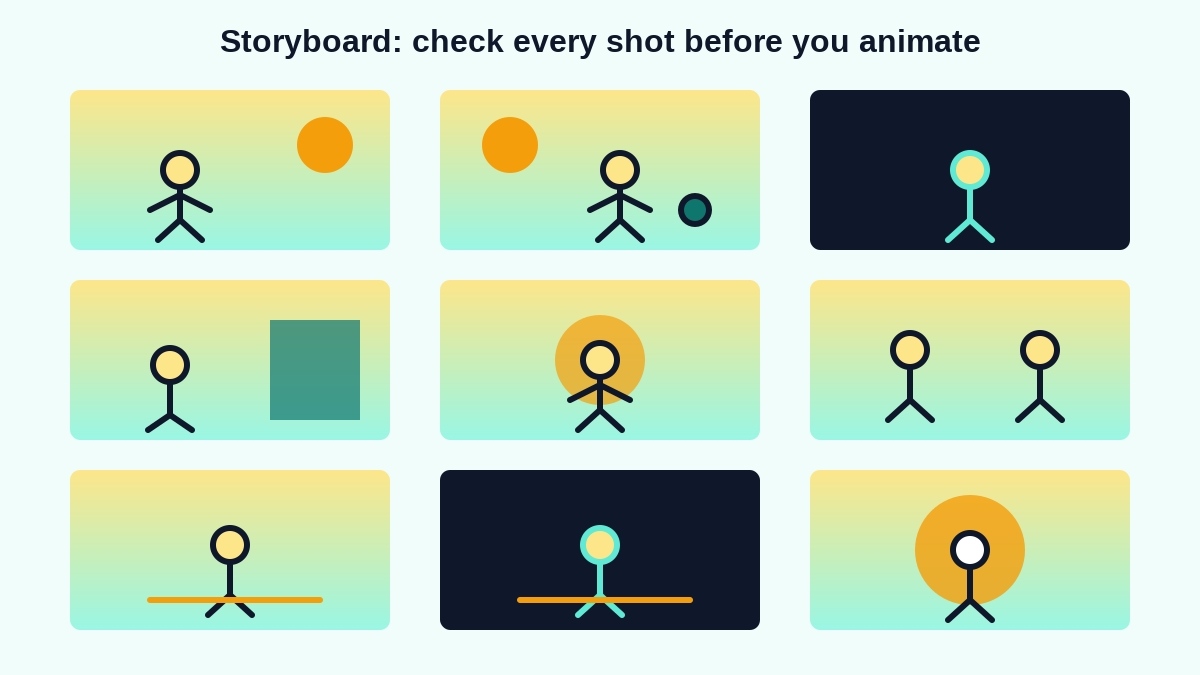
Before animating anything, the skill asks the model to look at its own still frames. In the reference run it rejected 7 of 15 shots — a ball covering a character's face, a cut that lost the punchline — and fixed them before spending time on rendering. This is why a free model can compete with a paid one: the QA step is written down, not left to luck.
Six habits that save hours
- One cartoon, one fresh session. Context is finite even when the model is free.
- Search YouTube yourself. A model's search can miss an episode that already exists; if yours does, add a twist.
- Open the source. Every episode includes one real fact with a citation. Check it before publishing.
- Give notes in plain language. “The ball in shot three covers his face” is enough — the agent fixes that shot and re-renders it.
- Treat characters as code, not images. The same drawing gets a different costume, so a new hero can be added with one sentence and reused in every scene.
- Export at the right loudness. FFmpeg normalisation makes your episode sound like every other video on the platform.
Is the free model actually good enough?
In a side-by-side test, the free model and a paid frontier model received the same skill, the same machine and the same one-line idea. Both produced a complete episode on the first render. The differences were small: the paid model found existing channels with the same premise and changed the angle, while the free model needed a few tries on the audio mix. Build skills with a paid model if you want to reverse-engineer a visual style; run them with the free one.
Treat the cast sheet as a design review: if a new hero does not fit the art style, fix the description once and re-render. Every later scene inherits the same look, so a ten-second edit saves dozens of manual corrections.
FAQ
Do I need a credit card?
No. OpenCode, the model, the skill, Remotion's personal tier and Node/Python/FFmpeg are free. Only the ElevenLabs key is required, and its personal quota covers dozens of episodes.
Can I use this for a commercial channel?
Remotion requires a company licence above three employees, and ElevenLabs' free plan is personal use with attribution. Read both terms before you monetise.
What if the model gets stuck?
Start a fresh session, lower the ambition of the prompt, and give one concrete note about the failing shot. Most failures are a bad storyboard, not a bad render.
Try it, then share it
Ready to make your first one?
The barrier is now a folder, five commands and one sentence. Signing up for free tools? Keep your real inbox clean with a temporary address from lmail.su. Make the episode, check the stills, and publish something you would watch twice.
Open the free skill →